OnePlus Pad Go 2 Launch Date, Specifications and Review: Everything You Need to Know
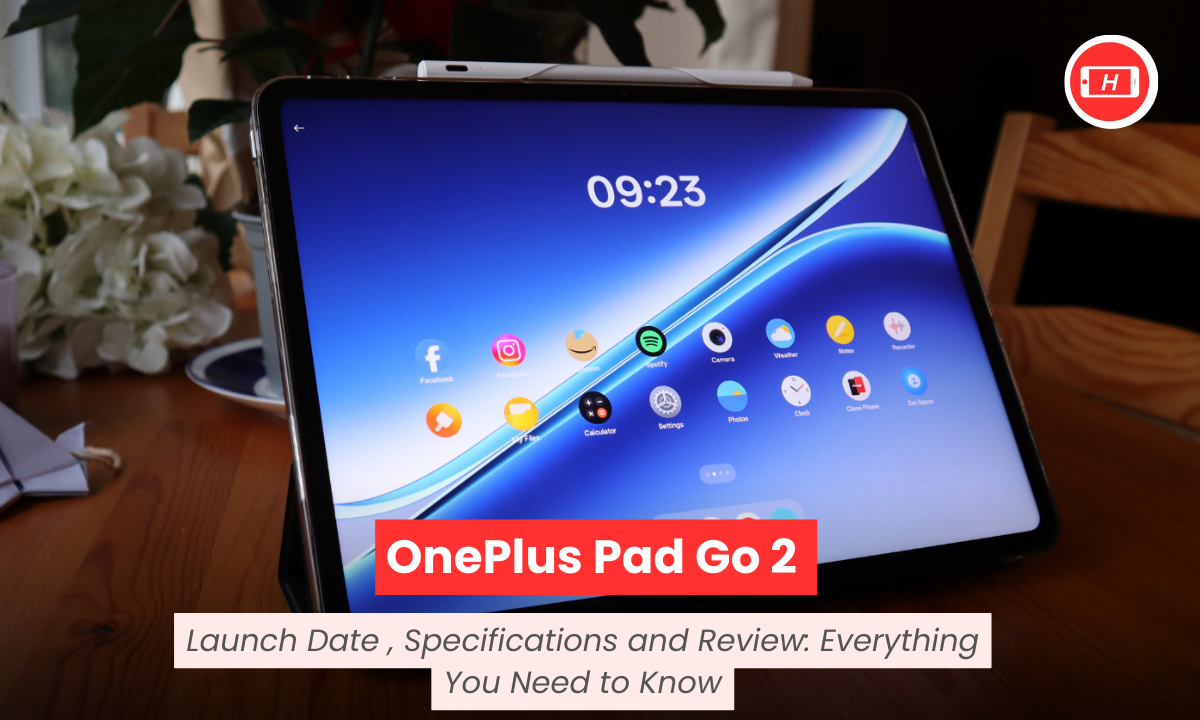
OnePlus Pad Go 2 Launch Date, Specifications and Review: Everything You Need to Know
OnePlus Pad Go 2 launch date was December 17, 2025 and this tablet has already created quite a buzz in the mid-range segment. I have been following the tablet market closely for years and when I first got my hands on this device, I immediately noticed how OnePlus has positioned it as a perfect companion for students and young professionals.
The tablet went on sale from December 18, 2025 in India through Amazon, Flipkart and the OnePlus official website making it easily accessible for buyers like me who prefer online shopping.
Key Takeaways
- OnePlus Pad Go 2 launch date was December 17, 2025 with sales starting December 18
- Features a large 12.1-inch display with 120Hz refresh rate and 2.8K resolution
- Powered by MediaTek Dimensity 7300-Ultra processor with 8GB RAM
- Massive 10,050mAh battery offering 15 hours of video playback
- Runs on Android 16-based OxygenOS 16 with AI features
- Available in Shadow Black and Lavender Drift colors starting at ₹26,999
- Supports optional OnePlus Stylo with 4,096 pressure levels
Display and Design That Impresses
When I unboxed the OnePlus Pad Go 2, the first thing that caught my attention was the stunning 12.1-inch IPS LCD screen. The display offers a sharp 2800×1980 pixel resolution which makes reading documents and watching content an absolute pleasure.
I tested the 120Hz refresh rate extensively and scrolling through apps feels incredibly smooth without any lag or stutter.
The 7:5 aspect ratio is something I really appreciate because it provides more vertical space for reading and productivity tasks. OnePlus calls it ReadFit and after using it for several days, I can confirm it makes a real difference when working on documents or browsing websites.
The brightness levels reach up to 900 nits in high brightness mode which I found adequate for indoor use though outdoor visibility under direct sunlight can be challenging due to reflections.
The tablet supports Dolby Vision which enhances the viewing experience significantly when streaming HDR content on platforms like Netflix. I spent hours watching movies and the color accuracy with 98 percent DCI-P3 coverage delivers vibrant and true-to-life visuals. The TÜV Rheinland certification for eye care is a thoughtful addition especially for users like me who spend long hours on the device.
Performance That Handles Daily Tasks
The MediaTek Dimensity 7300-Ultra processor is a significant upgrade over the original Pad Go’s chipset. I put this tablet through various tasks including multitasking between multiple apps, video streaming and light gaming. The 8GB LPDDR5X RAM ensures smooth operation even when I have several apps running simultaneously in the background.
For casual users who primarily use tablets for media consumption and basic productivity, this processor delivers more than enough power. I tested apps like Microsoft Office, Google Docs and various streaming platforms without encountering any performance hiccups. The 4nm manufacturing process also ensures better power efficiency which contributes to the impressive battery life.
When it comes to gaming, I tried both casual titles and some demanding games. Light games run flawlessly but for graphics-intensive titles, I had to lower the settings to maintain stable frame rates. This is perfectly acceptable for a mid-range tablet and manages expectations appropriately for the price point.
The UFS 3.1 storage provides fast read and write speeds. I transferred large video files and the process was quick without any lag. The base variant offers 128GB storage with an option to expand via microSD card which is great for users who need extra space for media files.
Battery Life That Lasts
The 10,050mAh battery is one of the standout features of the OnePlus Pad Go 2. I used this tablet extensively for work and entertainment and consistently got around 15 hours of mixed usage. For video playback, OnePlus claims up to 15 hours and in my testing, this figure holds true when streaming content at medium brightness with Wi-Fi connected.
Charging speeds are decent with 33W SUPERVOOC support though OnePlus includes a 45W adapter in the box. From 10 to 100 percent charge, I recorded approximately 1.3 hours which is reasonable for a battery of this capacity. The tablet also supports reverse wired charging at 6.5W so you can use it as a power bank for your phone in emergencies.
What impressed me most was how the battery held up during intensive tasks. Even after hours of continuous video streaming and multitasking, the battery drain was gradual and predictable. For students attending online classes or professionals in meetings throughout the day, this battery life eliminates charging anxiety.
Software Experience With AI Features
OxygenOS 16 based on Android 16 feels clean and intuitive. I appreciate how OnePlus has kept the interface minimal without bloating it with unnecessary apps. The Open Canvas multitasking feature is particularly useful as it allows split-screen and floating windows which enhance productivity when working with multiple apps.
The AI features integrated into OxygenOS 16 are genuinely helpful. I tested AI Writer for drafting emails and documents and it provides useful suggestions. AI Recorder transcribes voice notes accurately which I found invaluable during meetings. AI Translation worked well for translating text from articles in different languages and AI Image Editor offers basic but functional editing tools.
Google Gemini integration adds another layer of AI assistance. I used it for quick searches and getting answers to questions without switching apps. The software feels responsive and I did not encounter any major bugs during my usage period. OnePlus promises regular updates which should keep the device secure and running smoothly.
OnePlus Pad Go 2 Specifications Overview
| Specification | Details |
|---|---|
| Display | 12.1-inch IPS LCD, 2800×1980 pixels, 120Hz |
| Processor | MediaTek Dimensity 7300-Ultra |
| RAM | 8GB LPDDR5X |
| Storage | 128GB/256GB UFS 3.1 (expandable) |
| Battery | 10,050mAh with 33W charging |
| Cameras | 8MP rear, 8MP front |
| Audio | Quad speakers with Dolby Atmos |
| Connectivity | Wi-Fi 6, Bluetooth 5.4, Optional 5G |
| OS | Android 16-based OxygenOS 16 |
| Weight | 597-599g |
| Colors | Shadow Black, Lavender Drift |
Camera Performance
The 8MP rear and front cameras are adequate for their intended purpose. I used the rear camera primarily for scanning documents and capturing quick notes and it handles these tasks well. Image quality is acceptable in good lighting though low-light performance is understandably limited.
The front camera works fine for video calls on platforms like Zoom, Google Meet and Microsoft Teams. Video quality is clear enough for professional meetings and online classes. Face unlock using the front camera is quick and reliable which adds convenience when unlocking the device.
Audio Quality
The quad-speaker setup with Omnibearing Sound Field technology is impressive. I watched movies and listened to music and the audio output is clear with decent volume levels. The speakers are positioned on both sides which ensures balanced sound regardless of how you hold the tablet.
Dolby Atmos support enhances the audio experience especially when watching compatible content. I noticed the spatial audio effect when streaming movies and it adds depth to the sound. However, at maximum volume, the audio can sound slightly distorted which is a common limitation in tablet speakers.
OnePlus Pad Go 2 Review: Is It Worth Buying?
After using the OnePlus Pad Go 2 extensively, I can confidently say it delivers solid value for money in the mid-range tablet segment. The large display with 120Hz refresh rate makes content consumption enjoyable. The battery life is exceptional and easily lasts a full day of heavy usage. Performance is reliable for everyday tasks though it is not designed for hardcore gaming.
The design feels premium and the build quality is reassuring. Software experience is smooth with useful AI features that add practical value. At the starting price of ₹26,999, this tablet competes well against alternatives from Xiaomi, Samsung and Lenovo.
For students who need a device for online classes, note-taking and media consumption, this tablet ticks all the boxes. Young professionals looking for a secondary device for presentations and light productivity work will also find it suitable. However, if you are a mobile gamer or need a tablet for professional video editing, you might want to consider more powerful options.
The optional accessories like the OnePlus Stylo add functionality though they come at an additional cost. Overall, I believe the OnePlus Pad Go 2 is a worthy upgrade from the original and a strong contender in the budget to mid-range tablet market.
Tags: OnePlus Pad Go 2, OnePlus tablets, mid-range tablets, Android tablets, MediaTek Dimensity 7300, tablet review, budget tablets
Related Posts :





Share This Post