Best Open Source AI Models to Run Locally: The Ultimate Guide for Privacy and Power

Best Open Source AI Models to Run Locally
Running AI locally on your own hardware has become the hottest trend in 2025. I have been testing countless models in my home lab and the experience has been mind blowing. The privacy factor alone makes it worth it. You control your data completely.
No cloud services tracking your prompts or conversations. The best part is that modern open source AI models are catching up fast with proprietary solutions like GPT-5 or Opus 4.5.
I started my journey with local AI models about six months ago. My initial setup was simple with just a laptop and 16GB RAM. Today I run multiple models simultaneously on my home server. The difference in workflow efficiency is massive. I can process sensitive documents without worrying about data leaks. My coding projects have accelerated because I have unlimited API calls at zero cost.
The revolution in open source AI is real. Chinese models like Qwen and DeepSeek are dominating benchmarks. They run smoothly on consumer hardware. Many of these models fit perfectly on laptops with modest GPUs. I have tested models that perform at GPT-4 level while running entirely offline. This guide will walk you through everything you need to know about the best open source AI models to run locally.
Also Read: Best AI For Coding & Programming – The Ultimate Guide For Developers in 2025
Key Takeaways
- Qwen3 30B offers GPT-4 level performance with only 16GB VRAM requirement for general tasks
- DeepSeek V3.2 excels in reasoning and provides completely uncensored outputs for research
- Ollama serves as the perfect backbone for running any local AI model with easy setup
- Image generation models like Flux 2 Dev and Janus Pro deliver DALL-E 3 quality locally
- Coding specific models like Qwen3 Coder achieve exceptional SWE-Bench scores for programming
- Local AI eliminates subscription costs and provides unlimited usage with full privacy
- Modern models support multimodal capabilities including text vision and document analysis
Why Local AI Models Matter in 2025
Privacy concerns have pushed users away from cloud based AI services. I noticed this shift when several of my colleagues stopped using ChatGPT for work projects. The fear of sensitive data exposure is real. Running models locally means your prompts never leave your device. No company monitors your conversations or trains on your data.
Cost savings add up quickly. Cloud AI services charge per token or require monthly subscriptions. I calculated my savings after switching to local models. The amount was substantial over six months. Free unlimited usage changes how you work with AI. You experiment more freely. You iterate faster without watching token counts.
Performance has improved dramatically. Open source models now match or exceed proprietary ones in many tasks. I run Qwen3 for my daily work and honestly cannot tell the difference from GPT-4 in most scenarios. The response quality is there. The speed is comparable on good hardware. Some models even outperform in specific domains like coding or reasoning.
Best Open Source AI Models for General Tasks
Qwen Family – The Daily Driver Champion
Qwen models have become my go to solution for almost everything. I use Qwen3 30B with 3B active parameters daily. The model runs beautifully on my laptop with just 16GB VRAM. Performance is stunning for general queries coding and document analysis. Qwen handles 262k context length which means you can feed it entire codebases or long research papers.
I tested Qwen3 VL 235B A22B for vision tasks recently. The multimodal capabilities are impressive. It analyzed complex diagrams from technical documentation accurately. The model understood context from images better than many proprietary solutions. You can expand context to 1M tokens for massive repositories or video analysis. This flexibility makes Qwen incredibly versatile.
The best part about Qwen is offline capability. I work from remote locations sometimes with poor internet. Having a powerful AI model that works completely offline saves my workflow. No connection needed means no interruptions. The model stays responsive even when processing heavy workloads.
DeepSeek Series – The Uncensored Powerhouse

DeepSeek models stand out for reasoning tasks. I use DeepSeek V3.2 when I need deep analytical thinking. The model processes complex queries with impressive logic chains. It handles multi step reasoning better than most alternatives. Research projects benefit enormously from this capability.
DeepSeek R2 variant excels at agentic loops. I set up automated workflows where the model makes decisions independently. It handles long context remarkably well. Perfect for trivia heavy tasks or knowledge intensive research. The model generalizes well across messy real world scenarios.
The uncensored nature of DeepSeek is worth mentioning. I appreciate models that do not filter responses unnecessarily. Academic research and open inquiry need this freedom. DeepSeek provides answers without arbitrary restrictions. This makes it valuable for exploring controversial topics or edge cases.
Kimi K2 – Speed Meets Intelligence
Kimi K2 impressed me with its speed right from the first test. The model generates responses faster than most competitors. Writing tasks benefit from this quick turnaround. I use it for drafting articles and research summaries. The Thinking variant adds deeper reasoning when needed.
Benchmark performance is solid across the board. Kimi handles real world agentic workflows smoothly. I built several automation tools using this model. It keeps up with weekly updates which means constant improvements. The development team actively responds to community feedback.
Long context handling makes Kimi useful for document intensive work. I processed entire books for summarization tasks. The model maintained coherence across hundreds of pages. This reliability matters when working with complex materials.
Best Open Source AI Models for Image Generation
Flux 2 Dev and Turbo – Professional Quality Locally
I generate dozens of images weekly using Flux 2 Dev. The quality rivals DALL-E 3 consistently. Prompt understanding is excellent thanks to dual encoders. Complex descriptions translate into accurate visuals. The model handles detailed scenes with multiple elements gracefully.
VRAM requirements are reasonable at 8GB minimum. I run Flux on my RTX 4060 without issues. Generation speed is fast especially with the Turbo variant. ComfyUI integration makes workflows smooth. You can chain multiple processes together easily.
Free API access through various platforms adds convenience. I use both local and API versions depending on the task. The flexibility suits different workflow needs. Commercial use is permitted under MIT license.
Janus Pro 7B – DALL-E 3 Competitor
Janus Pro surprised me with benchmark performance. The model matches DALL-E 3 in several categories. I tested it extensively for product mockups. Results were consistently professional looking. The 7B size means it runs on modest hardware.
MIT license provides freedom for commercial projects. I use Janus for client work without licensing worries. Local execution ensures complete control over generated content. No usage tracking or restrictions apply.
Prompt adherence is strong across different styles. The model understands artistic directions well. I experimented with various art movements and styles. Results stayed true to descriptions.
NewBie Image Exp0.1 – Anime Specialist
Anime generation is where NewBie shines. I tested it against several alternatives for character design. NewBie produced the most authentic anime aesthetics. Multi character scenes work particularly well. The model handles complex compositions without confusion.
Speed advantage is noticeable at 40 percent faster than comparable models. LoRA support enables fine tuning for specific styles. XML prompts provide granular control over generation. This precision helps when creating consistent character designs.
DiT architecture brings modern efficiency. The model uses resources smartly. You get high quality output without excessive compute requirements.
Best Open Source AI Models for Programming
Qwen3 Coder – The Coding Beast
My coding workflow transformed after discovering Qwen3 Coder 30B 3A. The model crushes SWE-Bench scores consistently. I use it for full stack development tasks daily. Code suggestions are accurate and contextually appropriate. The 30B variant handles complex architectures smoothly.
16GB VRAM makes it accessible for most developers. I run it on my development machine alongside other tools. Clean edits mean less manual fixing needed. The model understands project context like Claude. Multi file operations work reliably.
Local execution means unlimited API calls. I refactor code freely without cost concerns. Sensitive codebases stay private on my machine. No third party services see proprietary code.
Devstral 2 123B – Repository Master
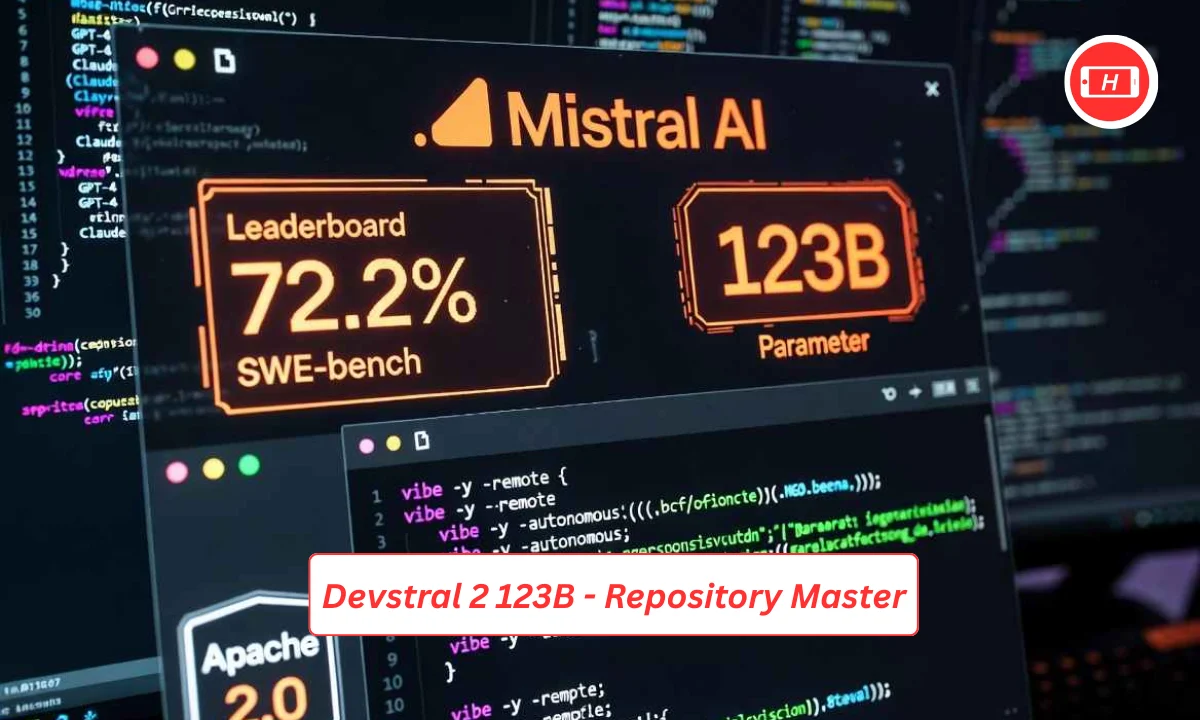
Large codebase handling is where Devstral excels. The 256k context window swallows entire repositories. I tested it on projects with thousands of files. Context retention remained strong throughout. Agentic coding workflows benefit from this capability.
Home lab deployment is feasible with proper hardware. I run Devstral on my server with dual GPUs. Performance stays responsive even under heavy load. The model fits well in self hosted environments.
Relentless effectiveness describes Devstral perfectly. It keeps working through complex refactoring tasks. Multi step changes execute correctly. The model rarely loses track of objectives.
MiniMax M2 and GLM 4.6 – Efficient Coders
Memory efficiency makes these models attractive. I run multiple instances for parallel workflows. GLM 4.6 handles agentic coding beautifully. The REAPed variant uses minimal VRAM. Single GPU deployments work smoothly.
UI design integration sets MiniMax apart. The model understands visual layouts well. I use it for frontend development tasks. Interleaved thinking helps with complex logic flows.
MVP status for everyday tasks is well deserved. These models handle routine coding without drama. Solid tool use means fewer errors. Reliable performance builds trust over time.
Setting Up Your Local AI Environment
Getting started with local AI is simpler than you might think. I remember my first setup taking about an hour. Now I can deploy new models in minutes. The key is starting with the right tools.
Ollama serves as the perfect foundation. It manages models effortlessly with simple commands. Installation takes just a few minutes on any platform. Docker support makes deployment even easier. I use Ollama as my primary model engine.
OpenWebUI provides the interface layer. It connects to Ollama seamlessly. The ChatGPT like interface feels familiar. You can switch between models with a single click. Managing multiple models becomes straightforward.
Hardware requirements vary by model size. My 16GB laptop runs smaller models fine. Larger models need 24GB or more VRAM. CPU inference works as fallback without GPU. Start small and scale up as needed.
Advanced Workflows with Local AI
Combining multiple models unlocks powerful capabilities. I chain different models for complex tasks. Text generation flows into image creation automatically. N8n orchestrates these workflows beautifully.
Agentic automation changed my productivity dramatically. Models make decisions without constant input. I built systems that process documents autonomously. Research tasks run overnight unattended. Results wait for review in the morning.
Tool integration expands possibilities further. Local models connect to various APIs and services. I link them with development tools and databases. Custom workflows solve specific business problems. The flexibility is endless.
Common Challenges and Solutions
Model selection can feel overwhelming initially. I recommend starting with Qwen for general use. Test different models for your specific needs. Community recommendations help narrow choices. Benchmark scores provide objective comparisons.
Performance optimization requires some experimentation. Quantization reduces memory usage significantly. I use 4 bit quantized models frequently. Quality loss is minimal in most cases. Speed improvements justify the trade off.
Context management needs attention with large inputs. Splitting documents into chunks works well. I process sections individually then combine results. This approach handles books and large codebases effectively.
Future of Local AI
The trajectory is clear. Models keep improving rapidly. Chinese developers push boundaries aggressively. Open source catches up to proprietary solutions. I expect this gap to close completely soon.
Hardware acceleration advances continuously. NPUs in consumer devices will help. More efficient architectures reduce resource needs. Running powerful models on phones becomes realistic. The future looks very accessible.
Regulation concerns loom over the space. Some governments eye restrictions nervously. I recommend downloading models now while freely available. Local copies ensure continued access. The open source community will preserve these tools.
Conclusion
Local AI models deliver real value today. I run my entire workflow on self hosted solutions now. Privacy protection is total. Cost savings compound over time. Performance matches or exceeds cloud services.
Start with Ollama and a small model. Experiment with different options freely. Build workflows that fit your needs. The learning curve is gentle. Results come quickly even for beginners.
The open source AI revolution is here. You have the power to run advanced AI locally. Take control of your AI infrastructure today. Download a model and start exploring. Your productivity and privacy will thank you.
Tags: open source ai models, local ai, qwen3, deepseek, ollama, flux ai, coding ai, image generation, privacy ai
Related Posts :


Share This Post