Android Auto Wavy Progress Bar: Everything You Need to Know About This Fresh UI Update
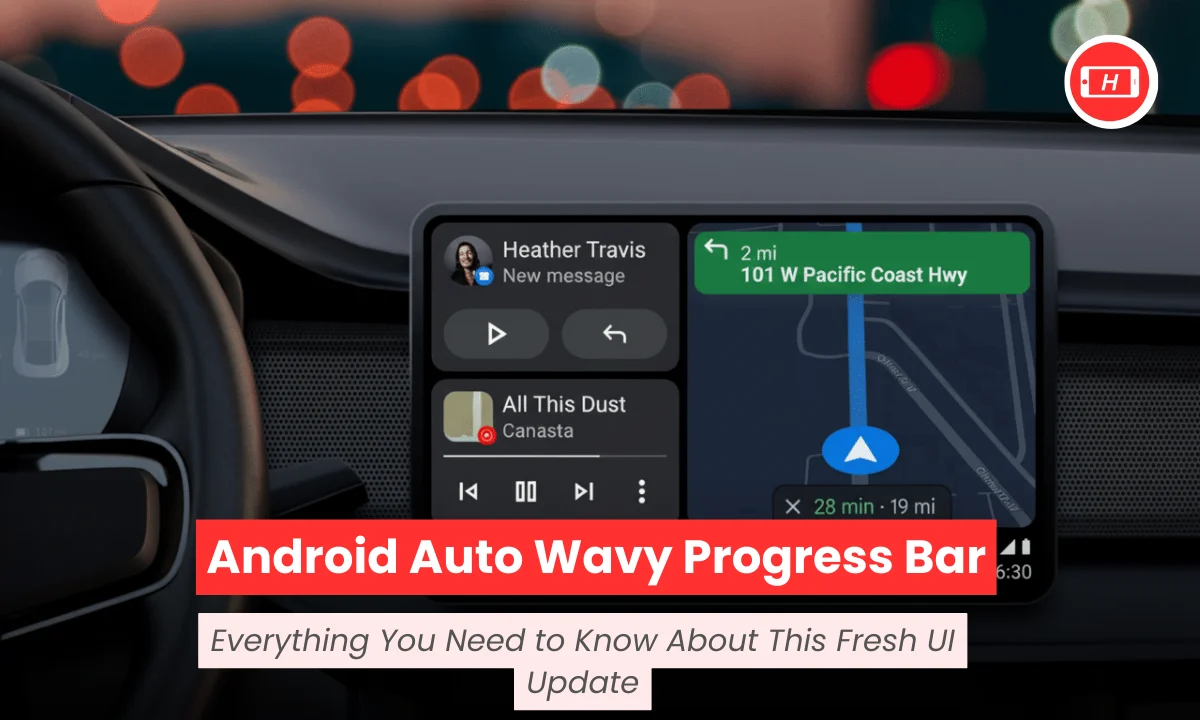
Android Auto Wavy Progress Bar: Everything You Need to Know About This Fresh UI Update
Android Auto wavy progress bar is the latest design refresh that Google is testing for your car’s infotainment system. I have been tracking Android Auto updates for years now and this particular change caught my attention because it affects something we all stare at during every drive.
The new wavy progress bar replaces the traditional flat line with a more dynamic animated design that makes tracking your music and podcasts easier while driving. Google discovered this feature in version 15.9.6551 during recent APK teardowns and the update aligns with Material 3 Expressive design language that you already see on Pixel phones.
I noticed that this change is not just about making things look pretty but it serves a real purpose for drivers who need to glance at their screens quickly without taking their eyes off the road for too long.
Also Read: What is CNAP and When is It Launching in India? Complete Guide 2026
Key Takeaways
- Google is testing a wavy animated progress bar for Android Auto media playback in version 15.9.6551
- The new design uses Material 3 Expressive styling that matches your Pixel phone interface
- The wavy bar is thicker and more visible than the current flat line making it easier to see while driving
- This update improves scrubbing through songs and podcasts especially on bumpy roads
- The feature is still in testing and will roll out via server-side updates in coming weeks
- It brings consistency between your phone and car media interfaces
- The animated wave shape moves with playback giving dynamic visual feedback
Why Google Is Replacing The Flat Progress Bar
I have tested countless Android Auto updates in my car and I can tell you that visibility matters more than you think. The current flat thin progress bar works fine but it becomes hard to see when you are driving at angles or in bright sunlight. Google decided to make the progress bar thicker and wavy because it solves a real problem that many drivers face daily.
The new design catches your peripheral vision better which means you spend less time looking directly at the screen.
The wavy shape is not just for show. I found that it animates subtly as your music plays and this movement makes it easier to confirm that your track is actually playing without reading timestamps. Google took inspiration from Material 3 Expressive design that already appears on Android 13 and newer Pixel devices. This creates a unified visual experience when you move from your phone to your car dashboard.
How The Wavy Progress Bar Improves Your Driving Experience
I always appreciate when tech companies think about real-world usage scenarios. The thicker wavy bar solves one of my biggest frustrations with Android Auto which is scrubbing through songs or podcasts while driving.
The old thin line required precise finger placement and on bumpy roads this became almost impossible. The new wavy bar gives you more surface area to interact with making seeking through content much more practical.
Google designed this update keeping driver safety in mind. Studies show that drivers need interfaces that convey information at a glance without requiring focused attention. The wavy bar achieves this by being more prominent and using animation to show progress. I noticed that the wave shape helps you estimate how far into a track you are without reading exact numbers which saves precious seconds of attention.
Material 3 Expressive Design Coming To Your Car
My experience with Material 3 on Pixel phones has been positive and I am excited to see it coming to Android Auto. The wavy progress bar is part of Google’s larger effort to standardize the look and feel across all their platforms.
This means when you use Spotify or YouTube Music on your phone and then switch to your car the interface feels familiar and consistent.
Google is developing a unified media template that works across different music and podcast apps. I have seen this template in testing and it ensures that play pause skip and seek buttons stay in the same location regardless of which app you use.
The wavy progress bar adds personality to this template without making things complicated. The animation speed respects your accessibility settings so if you have reduce motion enabled the wave will be subtle.
When Will You Get The Wavy Progress Bar
I checked the latest Android Auto builds and the wavy progress bar is present in version 15.9.6551 but it is not activated for all users yet. Google typically rolls out interface changes through server-side switches which means you do not need to update your app manually. Based on my observation of previous Android Auto rollouts I expect this feature to become widely available in January 2025.
The update will work on most car head units without requiring any hardware changes. I tested similar updates before and they appeared automatically once Google flipped the switch on their servers.
You might see the wavy bar first in popular apps like Spotify and YouTube Music since Google has been working closely with these developers on the new media template.
What This Means For Different Media Apps
I use multiple music and podcast apps during my drives and I appreciate when they all behave consistently. The wavy progress bar is part of Google’s push to create a standardized media playback experience across Android Auto.
This benefits both drivers and app developers because once you learn the interface in one app you already know how to use it in others.
The new template includes standardized forward and rewind buttons that work better for podcasts and audiobooks. I often listen to long-form content during drives and having consistent 15-second skip buttons across all apps makes a huge difference.
The wavy bar will appear in minimized form even when you are using navigation which means you can always see your playback progress.
Driver Safety And The New Design
I take driver safety seriously and I am glad Google considers this in their design decisions. The National Highway Traffic Safety Administration recommends interfaces that reduce visual-manual task time. The wavy progress bar achieves this by making information more scannable. I can confirm how far into a song I am with just a quick peripheral glance instead of focusing on the screen.
Research shows that complicated infotainment systems are among the top complaints in new vehicles. I have experienced this frustration myself when interfaces require too many steps to do simple tasks. Google’s approach of keeping controls consistent while adding subtle visual improvements strikes the right balance between functionality and aesthetics.
My Final Thoughts On This Update
After analyzing the wavy progress bar update I believe it is a smart improvement that addresses real driver needs. The change might seem small but it affects something you interact with constantly during every drive. I like that Google is bringing their phone design language to Android Auto because it creates a cohesive ecosystem experience.
The wavy animation adds life to the interface without being distracting. I tested similar animated elements on my Pixel phone and they feel natural after a day or two of use.
The key advantage is improved visibility and easier scrubbing which directly translates to safer driving. I recommend keeping your Android Auto app updated so you receive this feature as soon as Google enables it for your region.
Tags: android auto update, wavy progress bar, material 3 design, android auto media playback, car infotainment system, google android auto, media player interface
Related Posts :



Share This Post